Site Concepts
Site Concepts function as shortcuts for site selection when running Interco reports. Instead of manually selecting all the sites that belong within a region, select the region from the available report filters.
Click Setup ➜ Global ➜ Concept & Region ➜ Site Concepts.
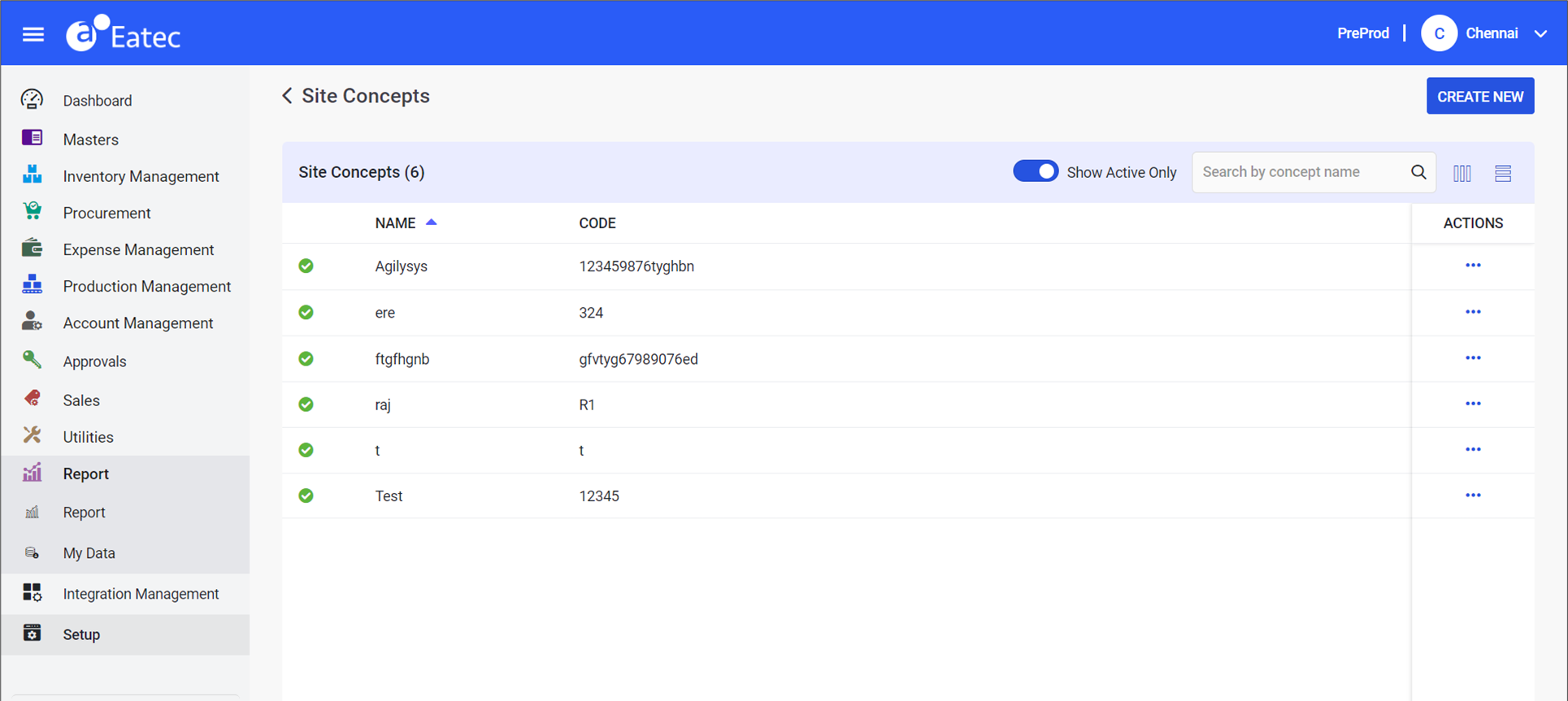
Users can perform the following under Site Concepts:
-
Create site concepts
-
Modify site concepts
-
Deactivate site concepts
-
Activate site concepts
Creating Site Concepts
Users can create a new site concept by performing the following steps:
Click the Create New button. The New Site Concepts page appears.
Refer to the following table and fill in the fields:
|
Field |
Description |
|---|---|
|
Concept Name |
Enter a name for the site concept. |
|
Code |
Enter a unique code for the site concept. |
|
Is Active |
Flag that indicates whether the site concept is active or inactive. By default, this flag appears toggled on (active) when creating a site concept and cannot be toggled off. This flag can be toggled off to deactivate the site concept when opened for modification. Once toggled off, the deactivated site concept will be displayed on the Site Concepts page only if the Show Active Only flag is toggled off. |
Click Create.
Modifying Site Concepts
Users can modify existing site concepts by performing the following steps:
Click the ellipsis under Actions corresponding to the preferred site concept.
Click Edit. The Edit Site Concepts page appears.
Modify the required details.
Click Update.
Deactivating Site Concepts
Users can deactivate existing site concepts by performing the following steps:
Click the ellipsis under Actions corresponding to the preferred site concept.
Click Deactivate. The system prompts the user to confirm the deactivation.
Click Confirm.
Activating Site Concepts
Users can activate a deactivated site concept by performing the following steps:
Toggle off the Show Active Only flag to view the deactivated site concept. The deactivated site concepts appear.
Select a deactivated site concept.
Click the ellipsis under Actions corresponding to the preferred site concept.
Click Activate. The system prompts the user to confirm the activation.
Click Confirm.