Sales
Activity
Detail by SaleID [SLSR01a] Report
A new report, Detail by SaleID [SLSR01a], has been added to Eatec Reports. This report enables users to view and generate detailed batch reports for each individual sales transaction, providing greater visibility into sales activity.
Report Parameters
|
Field |
Description |
|---|---|
|
Report |
Select Sales. |
|
Section |
Select Activity. |
|
Reports |
Select Sales Detail [SLSR01a]. |
|
Filters |
|
|
Period |
Select the preferred date range against which the report must be generated. Only the following options are applicable for this report:
|
|
Start Date |
The start date from when the report must be generated. Note: This field will be auto-populated based on the option selected in the Period drop-down list. However, users must manually enter a value only when the None or Custom option is selected in the Period drop-down list. |
|
End Date |
The start date from when the report must be generated. Note: This field will be auto-populated based on the option selected in the Period drop-down list. However, users must manually enter a value only when the None or Custom option is selected in the Period drop-down list. |
|
Filter |
|
|
Locations |
Select one or more locations from the drop-down list. Enable the Exclude to exclude the Location filter. |
|
Meal Periods |
Select one or more meal periods from the drop-down list. Enable the Exclude to exclude the Meal Period filter. |
Sample Report
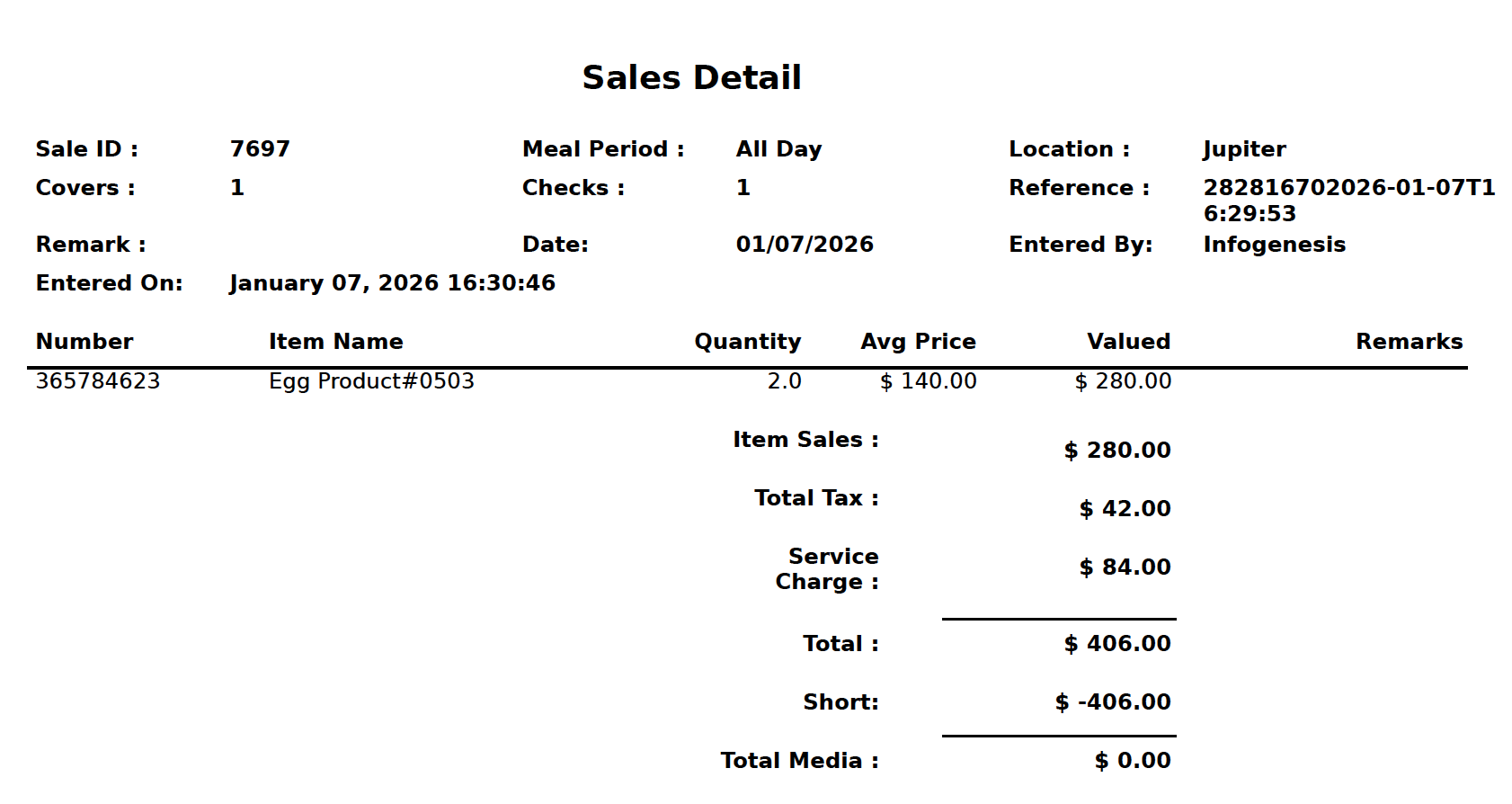
Report Fields
|
Field |
Description |
|---|---|
|
Sale ID |
The Eatec Sale transaction ID. |
|
Meal Period |
The assigned meal period for the sale transaction. |
|
Location |
The Eatec location. |
|
Covers |
Total cover count. |
|
Checks |
Total number of checks. |
|
Reference |
The sale transaction reference ID. |
|
Remark |
Optional field. |
|
Date |
The sale transaction date. |
|
Entered On |
The date and time when the sale transaction was performed. |
|
Entered By |
The name of the user who performed the sale transaction. |