Recipes Reports
Database
Batch Print Recipes [RCP91] Report
Navigate to Report ➜ Report.
Select Recipes from the drop-down menu.
Select Database from the Section drop-down menu.
Select Batch Print Recipes [RCP91] from the Reports drop-down menu.
Apply the following filters to generate the report:
Report Parameters
|
Field |
Description |
|---|---|
|
Filter |
|
|
Recipe Types |
Choose recipe types; select Exclude to leave them out. |
|
Classes |
Choose classes; select Exclude to leave them out. |
|
Packages |
Search and choose packages; select Exclude to leave them out. |
|
Recipe |
Search and choose recipes; select Exclude to leave them out. |
|
Recipe Subtype |
Choose recipe subtypes; select Exclude to leave them out. |
Click Generate Report.
Sample Report
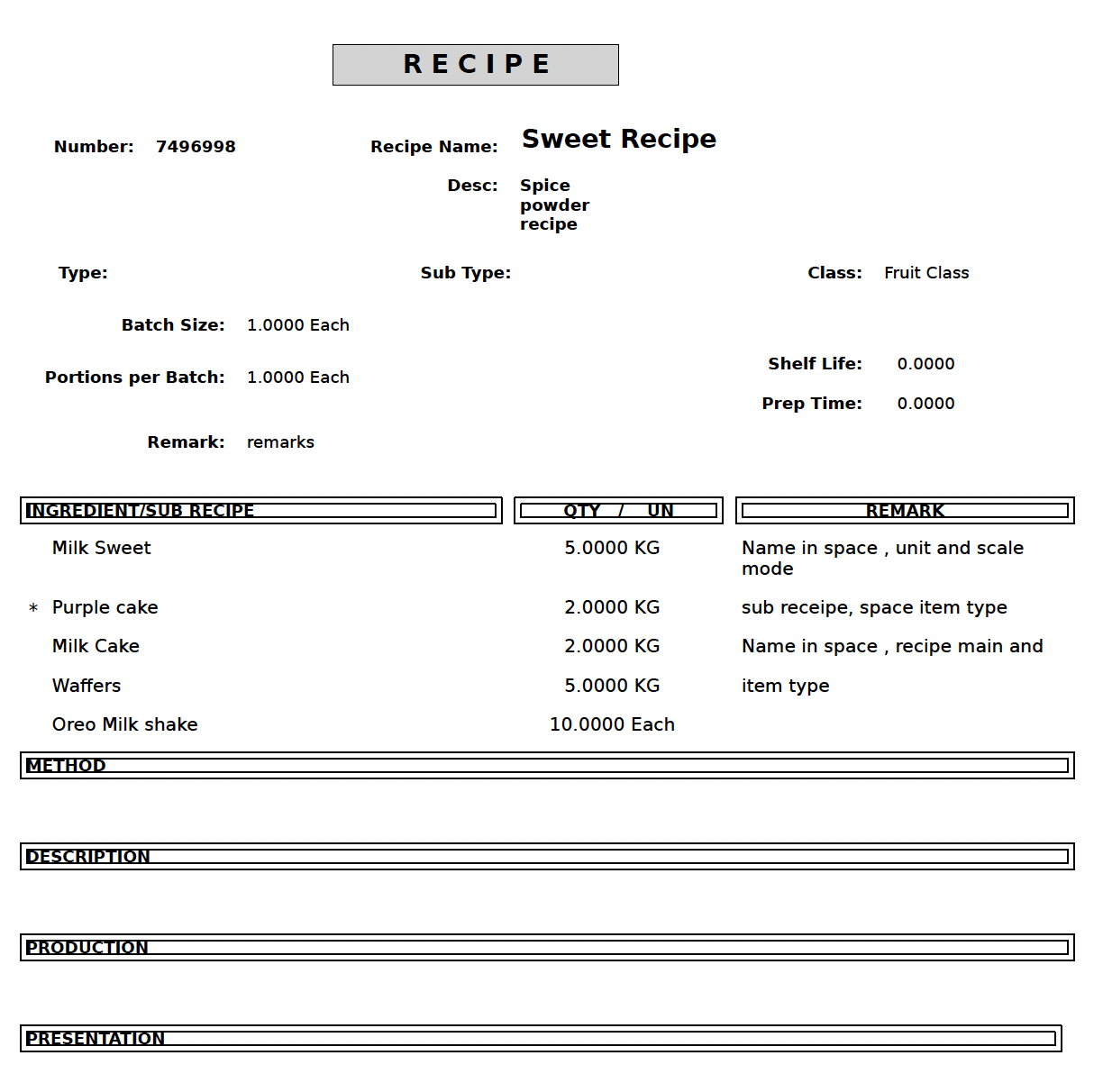
Report Fields
|
Field |
Description |
|---|---|
|
Number |
Displays the unique identifier assigned to the recipe. |
|
Recipe Name |
Displays the name of the recipe. |
|
Description (Desc) |
Displays a brief description of the recipe. |
|
Type |
Indicates the recipe type. |
|
Sub Type |
Indicates the recipe subtype. |
|
Class |
Displays the classification assigned to the recipe. |
|
Batch Size |
Specifies the quantity produced per batch. |
|
Portions per Batch |
Displays the number of portions produced per batch. |
|
Shelf Life |
Specifies the storage duration of the prepared recipe. |
|
Prep Time |
Indicates the time required to prepare the recipe. |
|
Remark |
Displays any notes or comments associated with the recipe. |
|
Ingredient / Sub Recipe |
Lists the ingredients and sub‑recipes used. |
|
Qty / UN |
Displays the quantity and unit of measure for each ingredient. |
|
Remark (Ingredient) |
Displays notes for each ingredient or sub‑recipe. |
|
Method |
Describes the preparation steps. |
|
Description (Section) |
Provides additional details about the recipe. |
|
Production |
Describes production-related instructions or notes. |
|
Presentation |
Describes how the recipe should be presented or served. |