Item Cost Changes/Detail [PUR19] Report
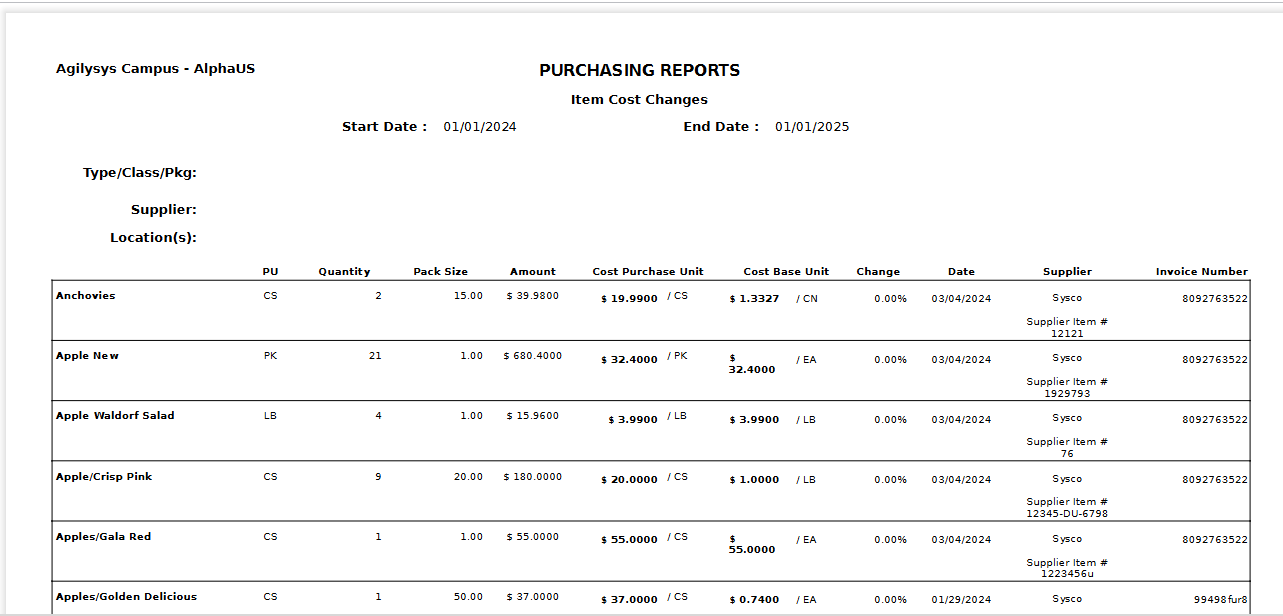
The generated report provides details on the inventory item purchases performed between a given date range. Item purchase details and invoice details are reported. This report is grouped by inventory type.
Navigate to Report ➜ Report.
Select Inventory from the drop-down menu.
Select Purchase from the Section drop-down menu.
Select Item Cost Changes/Detail [PUR19] from the Reports drop-down menu.
Enter the details in the applicable filters under the Filters section.
Click Generate Report to generate the report.
Sample